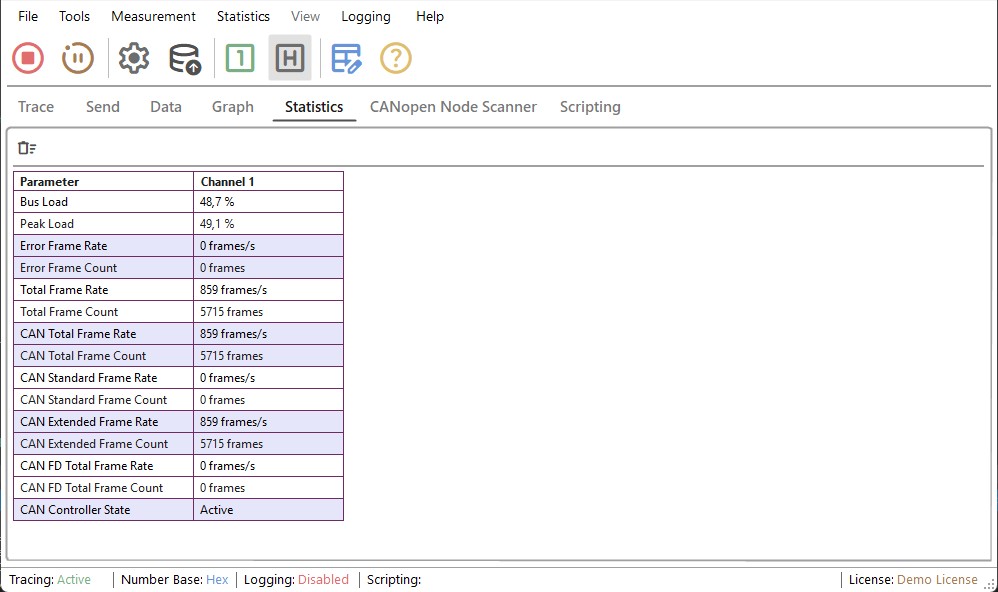
Statistics Tab
This tab displays various statistics for the configured channels.
Statistic Tab Toolbar
The toolbar provides quick access to the main data window functions. These can be accessed from right-click menu or from top menu.
| Icon | Description |
|---|---|
 |
Clear Values from Data Tab. |
Statistic Descriptions
| Name | Description |
|---|---|
| Bus Load | Current bus load |
| Peak Load | Highest bus load value recorded. |
| Error Frame Rate | Number of error frames per second. |
| Error Frame Count | Total amount of error frames. |
| Total Frame Rate | Number of CAN and CAN FD frames per second. |
| Total Frame Count | Total amount of CAN and CAN FD frames. |
| CAN Total Frame Rate | Number of CAN frames per second (base and extended format). |
| CAN Total Frame Count | Total amount of CAN frames. |
| CAN Standard Frame Rate | Number of CAN standard frames per second (transmitted/received). |
| CAN Standard Frame Count | Total amount of CAN standard frames. |
| CAN Extended Frame Rate | Number of CAN extended-ID frames per second. |
| CAN Extended Frame Count | Total amount of CAN extended-ID frames. |
| CAN FD Total Frame Rate | Number of CAN FD frames per second. |
| CAN FD Total Frame Count | Total amount of CAN FD frames. |
| CAN Controller State | Displays the chip state of the CAN interface. |