License
A license is always connected to a specific CAN hardware, but you can use any CAN hardware as long as the hardware that is licensed is connected to the computer that runs CANtrace. For example, you can use both your Vector and Peak interfaces as long as the Kvaser Leaf Light which has CANtrace license is still plugged into your computer.
You can check the license status of your CANtrace from the menu bar by opening Help > License Manager. If you run into problems, please send the information back to us (support@tke.fi) and our CANtrace team will support you.
No License
When starting up CANtrace for the first time, there probably won't be any license added. Then you will not be able to start tracing with any other channels than virtual. There are now two opportunities:
- Buy a full license key.
- Order a demo license key for free from TK Engineering Oy.
Get License
There are two different license types: demo license and full license. Demo licenses are available for free. You can buy full license from our webshop or request a demo license.
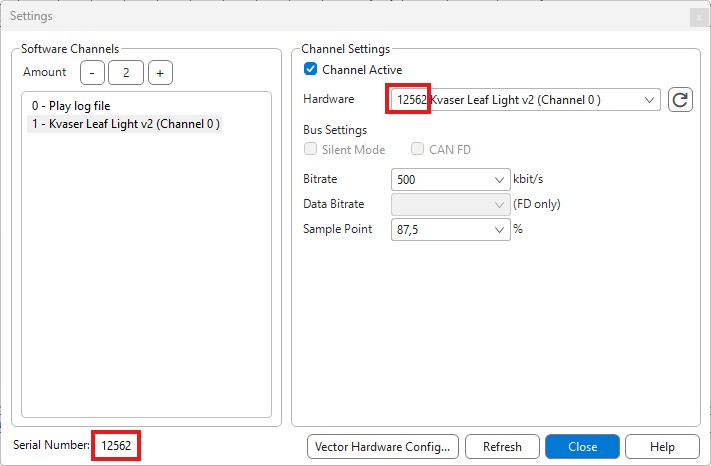
Don't forget to mention your hardware serial number (this is found in Tools > Settings) and if you want a full license or a demo license. If your interface is not shown in the drop-down menu, please verify your interface drivers are installed and that the interface is supported.
Add License
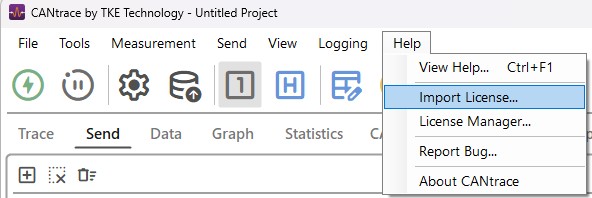
After receiving a license key from TK Engineering Oy, from the menu bar select Help > Import License.
Then this dialog will appear:
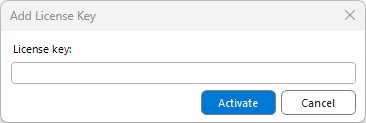
Insert the received license key (without modifying it) in the text-field and press Activate.
Check license status
Demo license
A Demo License is valid for 14 days from the start day. You can find out how many days you have left to use CANtrace by looking at the license information in the about box.
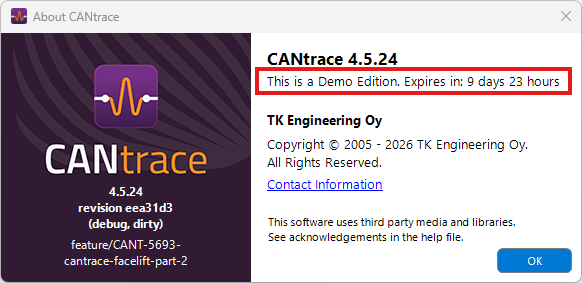
Demo License has expired
If the demo license is older than 14 days, the demo license has expired. If the demo license has expired, CANtrace will work as a non licensed version.
Full License
With a full license the user has all rights to use all functionality of CANtrace.
Important Licensing Information
Important
The license is tied to the serial number of a CAN interface or to the serial number of the PC.
If no licensed hardware is found when going on bus:
- All CAN interfaces are automatically set to inactive.
- They must be manually activated in the CAN Settings dialogue after a new license has been added or a licensed hardware device has been connected to the computer.
Troubleshooting
If the License Manager window doesn't display your connected Kvaser hardware, you could try to unplug and replug it, then open License Manager again, or from the menu bar select Tools > Settings and click the Refresh button while the Kvaser hardware is connected to the computer.
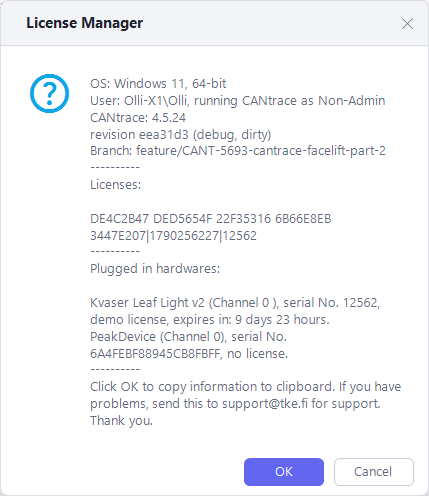
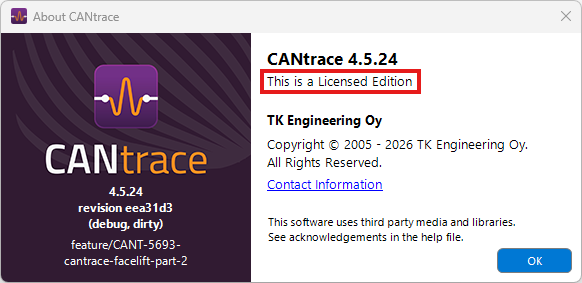
You can also check the current license status in the menu Help > About. The about box will display the text "This is a Licensed Edition" as long as the CAN hardware which has valid CANtrace license is still plugged into the computer.