Using Command Prompt
You can customize the startup of CANtrace using the command line arguments via command prompt. The following arguments are supported:
| Argument | Description |
|---|---|
| conf=[path] | Opens the specified project file when CANtrace starts. |
| tabs=[1/0][1/0][1/0][1/0][1/0][1/0][1/0] | Set which tabs that will be displayed when CANtrace starts, 1 means displaying this tab, 0 means not displaying this tab (i.e. tabs=0101010). |
| onbus=[1/0] | Set if CANtrace will go on bus when CANtrace starts with a project file. Option "1" means that CANtrace will go on bus when it starts, option "0" means that CANtrace will stay off bus when it starts. |
| deftab=[n] | Set the default tab that is displayed when CANtrace starts. |
Tab Index for deftab
- Trace
- Send
- Data
- Graph
- Statistic
- CANopen Node Scanner
- Scripting
Examples
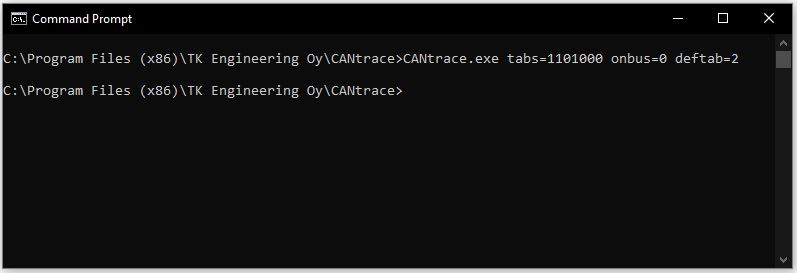
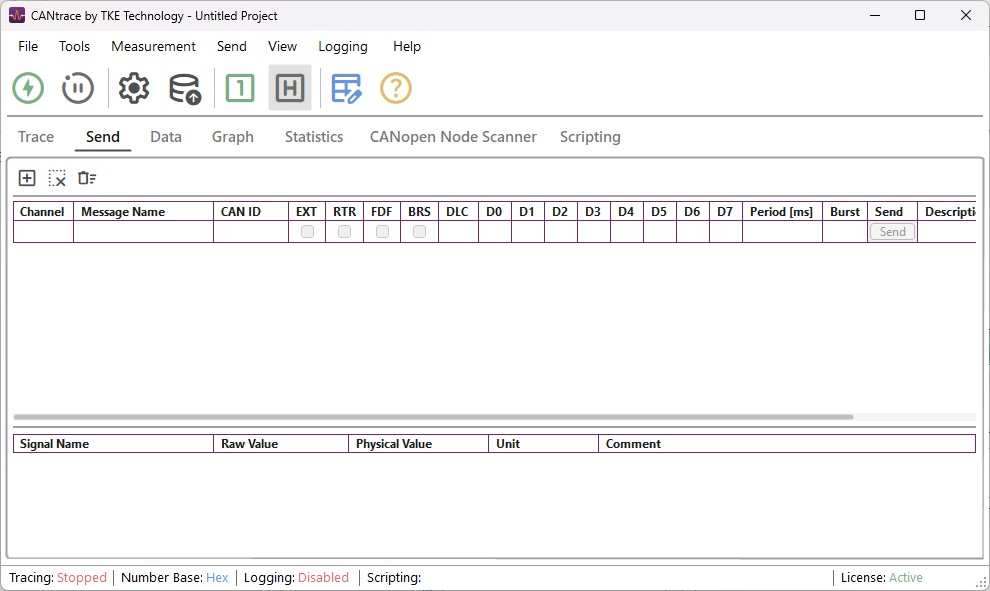
Below is an example of using command line arguments. It will start CANtrace. The default tab that is opened is Send tab, only tab Trace, Send and Graph are displayed. The status is off bus.
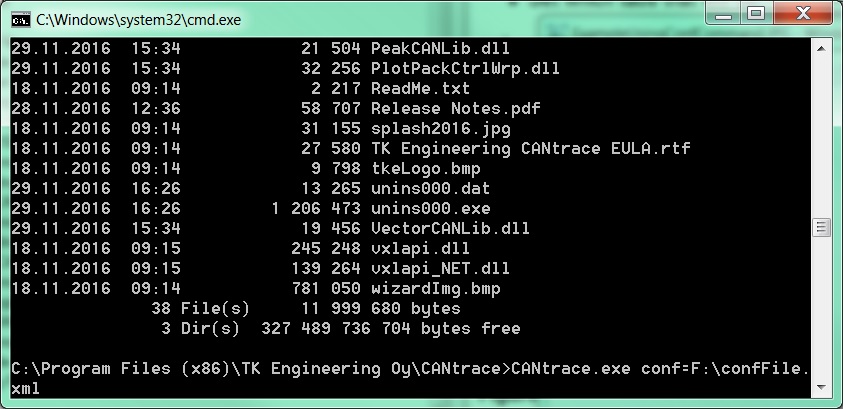
Below is an example of opening a project file called configFile.xml located in F:\ when CANtrace starts.
Command Line Priority
If you open a project file from the command line, the last saved project file will not be remembered by CANtrace. This occurs because the file explicitly specified via the command line takes the highest execution priority.