Extract and Convert the Log File
This section shows how to extract a log file captured by a Kvaser Memorator and how to convert the log into a format suitable for playback in CANtrace.
Hardware and Software Requirements
The method shown should work with any Kvaser Memorator interface/logger and requires that the Kvaser Memorator Config Tools software is installed.
Prerequisite
Please connect the Memorator with a USB cable to your computer before continuing with this tutorial.
Starting the Configuration Tool
There are two different options for starting the "Kvaser Memorator Config Tool":
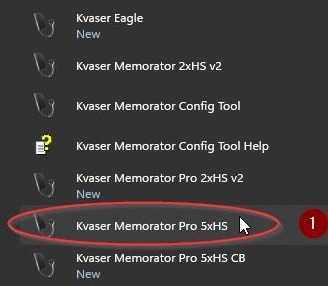
- Option 1: From the Windows Start menu, in this example it is called "Kvaser Memorator Pro 5xHS".
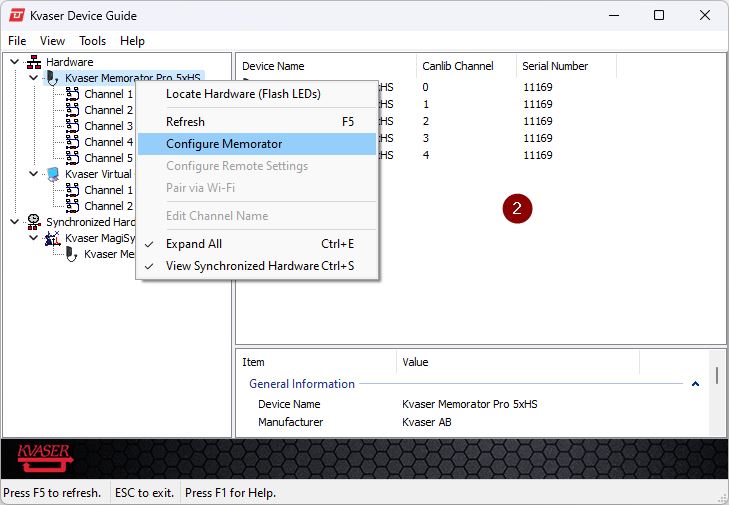
- Option 2: Start the tool from the Kvaser Device Guide tool. In the tree view, right-click on Hardware > Kvaser Memorator and Select Configure Memorator.
List the Log Files
In the tree view, select Flash > Log Files.
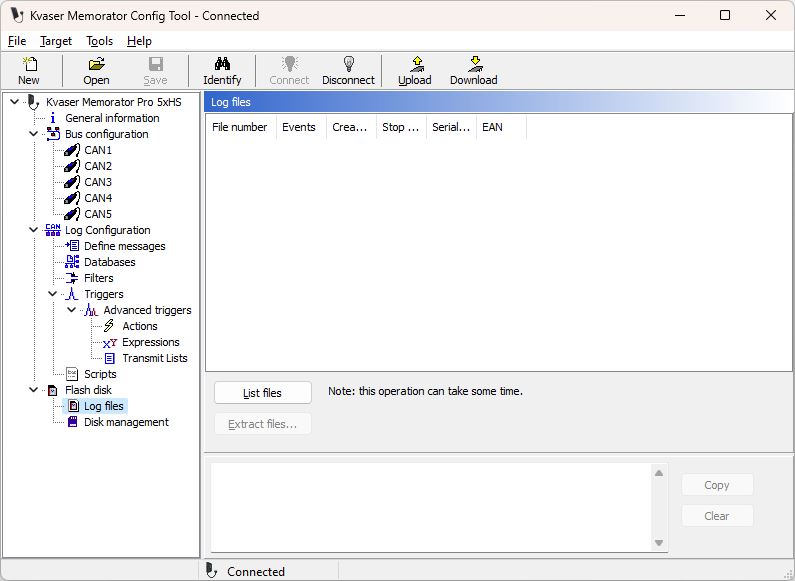
Click the List files button. You will see the log files in the list of files.
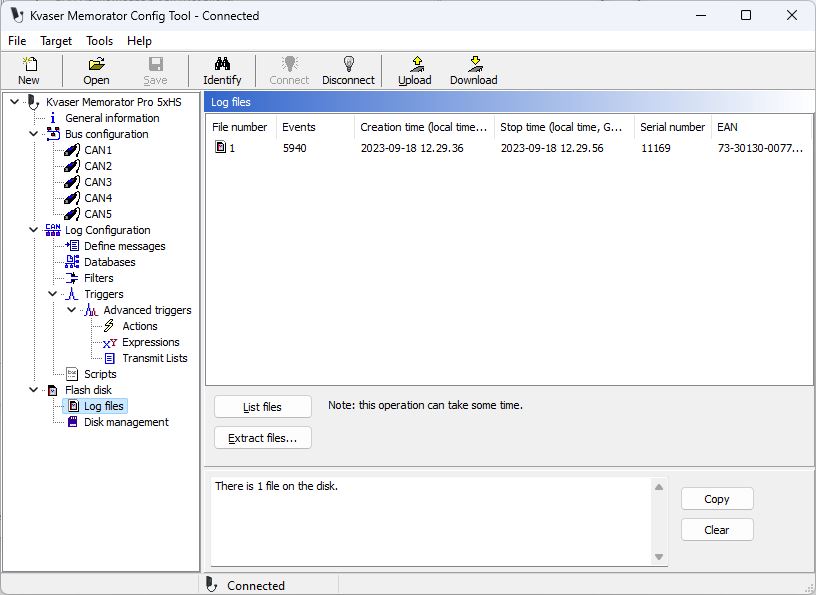
Extract and Convert
Now, when the files are listed, Select file 1 and click the Extract files button.
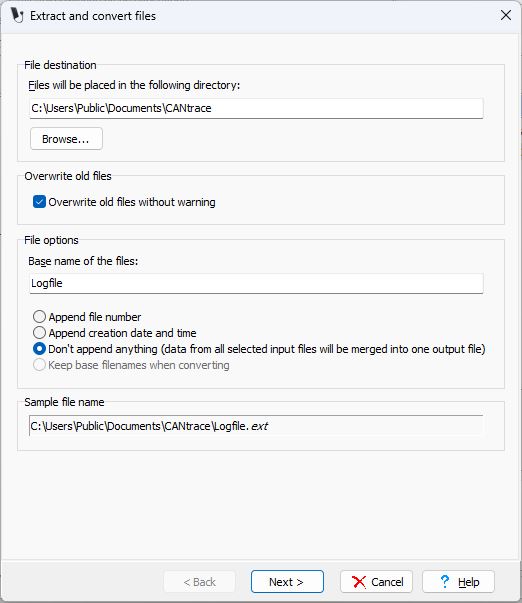
Select file destination, then click at the Next > button at the bottom of the window.
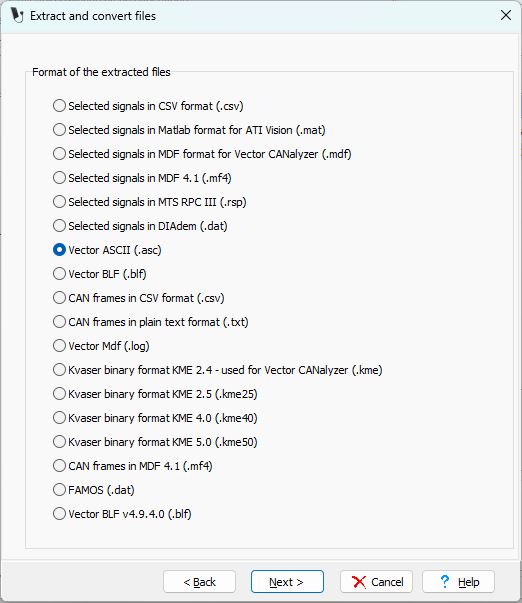
Select the Vector ASCII (.asc) or Vector BLF (.blf) option. Click the Next > button. This makes it possible to play back the file in CANtrace.
Verify that the Start of measurement option is selected. Verify that Channel 1 is selected. Click the Finish button.
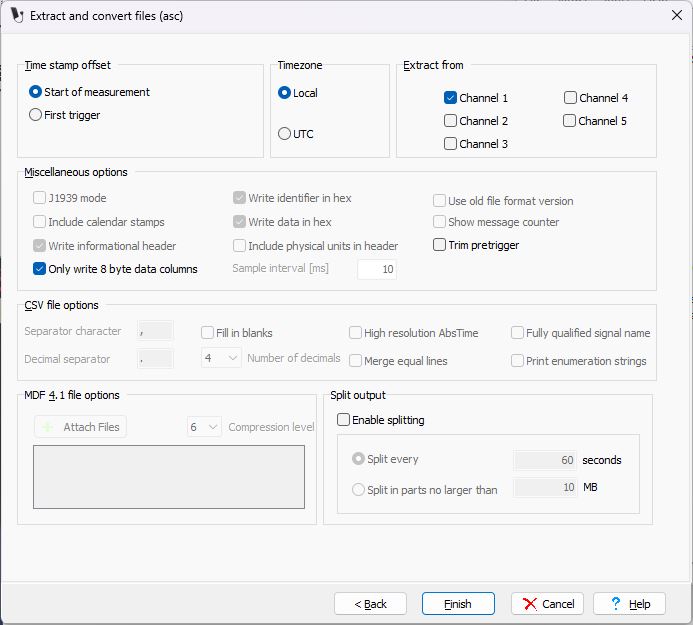
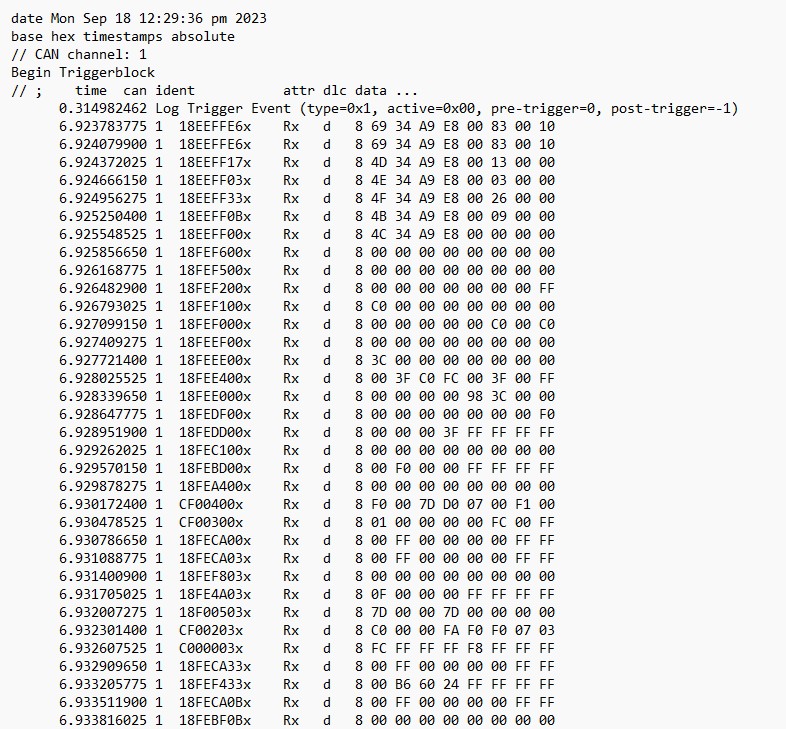
Example Logfile.asc